LAPTOP SCREEN EXTENDERS
Two More Laptop Screens—Brilliant Desk or Heavy Luggage?
KYY and Xebec add two side screens. ASUS adds one separate screen with less weight. Before buying, check the operating system, USB-C video support, adapter requirements, and total weight.
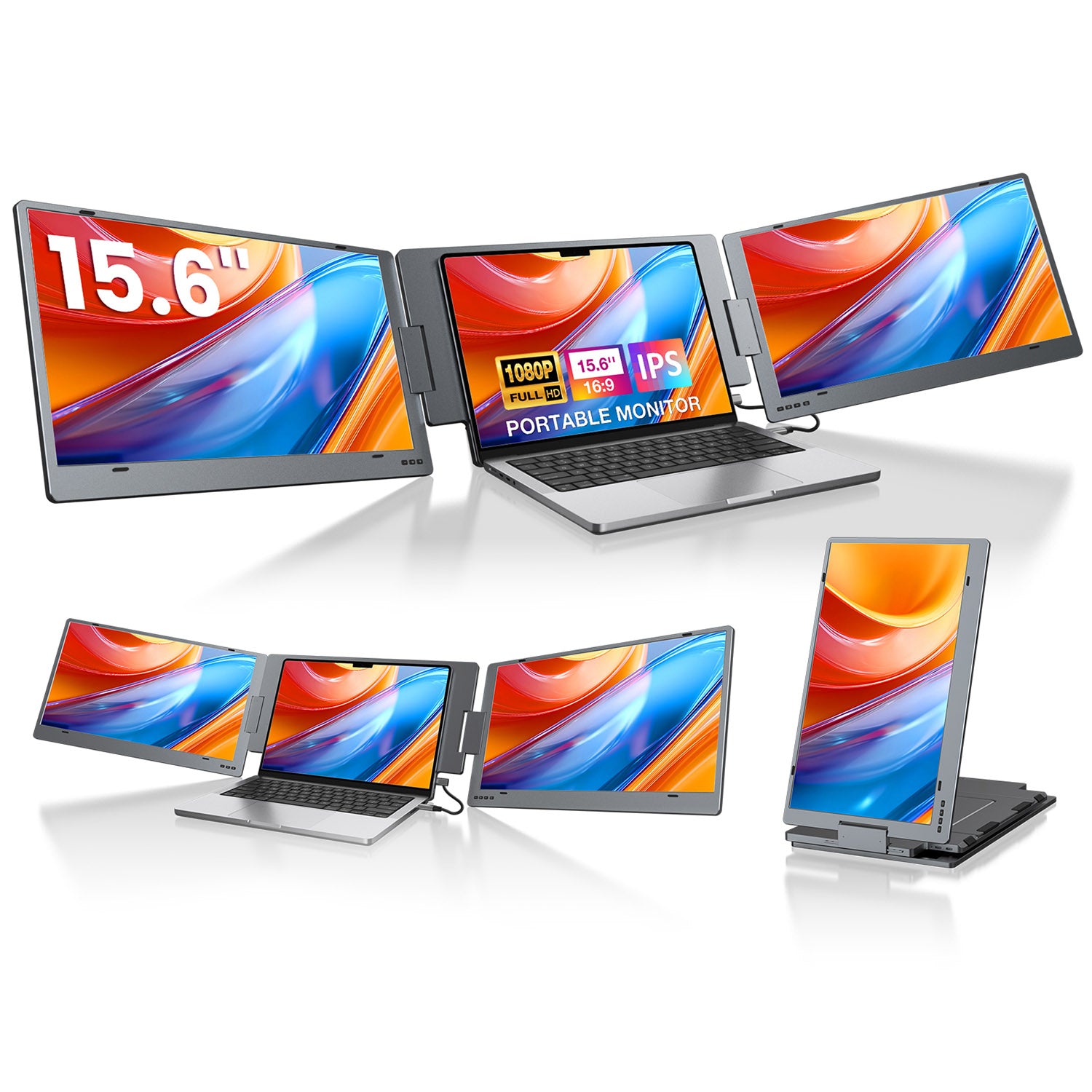
Three screens explain themselves in one picture.
Two-screen extenders create three displays including the laptop. That can separate a main task, references, and calls. It only works as promised when the laptop's operating system and USB-C video output match the exact model.
The cable is where the fantasy meets the laptop.
A USB-C port can charge and still fail to send video. Windows-only models, Mac adapters, DisplayLink drivers, and nearly five pounds of screen can completely change the answer.
If one extra screen solves the problem, a separate portable monitor is usually lighter and kinder to the laptop hinge.
Checked choices
Two extra screens, broader compatibility, or one light screen?
Official manufacturer photoTWO 15.6-INCH SCREENS · WINDOWS
KYY X90E
Two 15.6-inch side screens · Windows onlyTwo 15.6-inch FHD displays unfold beside a Windows laptop and run from one compatible USB-C connection without a driver.
Choose it for a Windows laptop when you want two genuinely large side screens and your USB-C port supports Thunderbolt 3/4 or DP Alt Mode.
- Extra screens
- Two 15.6-inch FHD IPS panels
- Compatibility
- Windows only · 12–17-inch laptops
- Connection
- One full-feature USB-C · no driver
- Amazon path
- LIANJI Tech. · ships from Amazon
What changes or goes missing
- This exact X90E is Windows-only. It is not the safe choice for a MacBook.
- At 4.85 lb, the extender can weigh more than some laptops. Use the built-in stand instead of asking the laptop hinge to carry it.
- One cable works only when the USB-C port carries video. A charging-only USB-C port is not enough.
 Official manufacturer photo
TWO 13.3-INCH SCREENS · WINDOWS AND MAC SUPPORT
Xebec Tri-Screen 3
Two 13.3-inch screens · Windows, Mac, Linux, ChromeOSTwo 13.3-inch FHD screens, a one-cable frame, and up to 60 W charging for the laptop while the screens are connected.
Choose it when you need two side screens across Windows, macOS, Linux, or ChromeOS and can use the required adapter and driver on a MacBook.
- Extra screens
- Two 13.3-inch FHD IPS panels
- Compatibility
- Windows · Mac · Linux · ChromeOS · 13–18-inch laptops
- Connection
- Embedded USB-C · can power the laptop at up to 60 W while connected
- Amazon path
- Xebec Inc · ships from Amazon
What changes or goes missing
- Every MacBook Air and Pro needs Xebec's separate Mac Adapter plus a one-time DisplayLink driver installation.
- The screens are 13.3 inches, smaller than KYY's 15.6-inch panels.
- At 3.6 lb it is lighter than KYY, but still a heavy screen to carry in a travel bag.
ONE 15.6-INCH SCREEN · ABOUT 1.98 LB
ASUS ZenScreen MB16ACV
One 15.6-inch portable screenIt adds one 15.6-inch FHD screen instead of two, stands on its own, and weighs about 1.98 lb.
Choose it when one extra document, chat, or preview screen solves the problem and you would rather carry less weight and avoid loading the laptop hinge.
- Extra screens
- One 15.6-inch FHD IPS panel
- Weight
- About 1.98 lb
- Connection
- USB-C or USB-A hybrid signal
- Amazon path
- Sold and shipped by Amazon.com
What changes or goes missing
- It gives you two screens total, not the three-screen setup shown by KYY and Xebec.
- It stands beside the laptop instead of attaching to the lid, so it needs its own desk space.
- The monitor has no built-in speaker. Its job is simply to add a lightweight screen.
 Official manufacturer photo
ONE 16-INCH SCREEN · 2560×1600 · 120 HZ
UPERFECT 16-inch 2K 120Hz
One 16-inch 2560×1600 portable displayIt is the simple version of the idea: put one sharper screen beside the laptop instead of hanging two screens from the lid.
Choose it when one extra screen is enough and 2560×1600 resolution matters more than the lightest possible bag or a familiar warranty brand.
- Extra screens
- One 16-inch 2560×1600 IPS matte panel
- Refresh rate
- 120 Hz on the current official product page and checked listing
- Connection
- Two full-feature USB-C ports · mini HDMI · no driver
- Desk use
- Separate stand or cover stand · VESA support
What changes or goes missing
- It creates two screens total, not the three-screen setup shown by KYY and Xebec.
- A USB-C port must carry video. If it only charges, use HDMI plus separate power.
- We do not repeat the marketplace's 500-nit claim because the linked manual did not confirm that number.
As an Amazon Associate, we earn from qualifying purchases.
Amazon and the Amazon logo are trademarks of Amazon.com, Inc. or its affiliates.